Getting Started
Applying this template to your bullet site is super simple. Just follow the below steps below, It takes less than 2 mins.
1. Duplicate the template to your Notion workspace:
- Click on the below link and duplicate the template to your workspace.
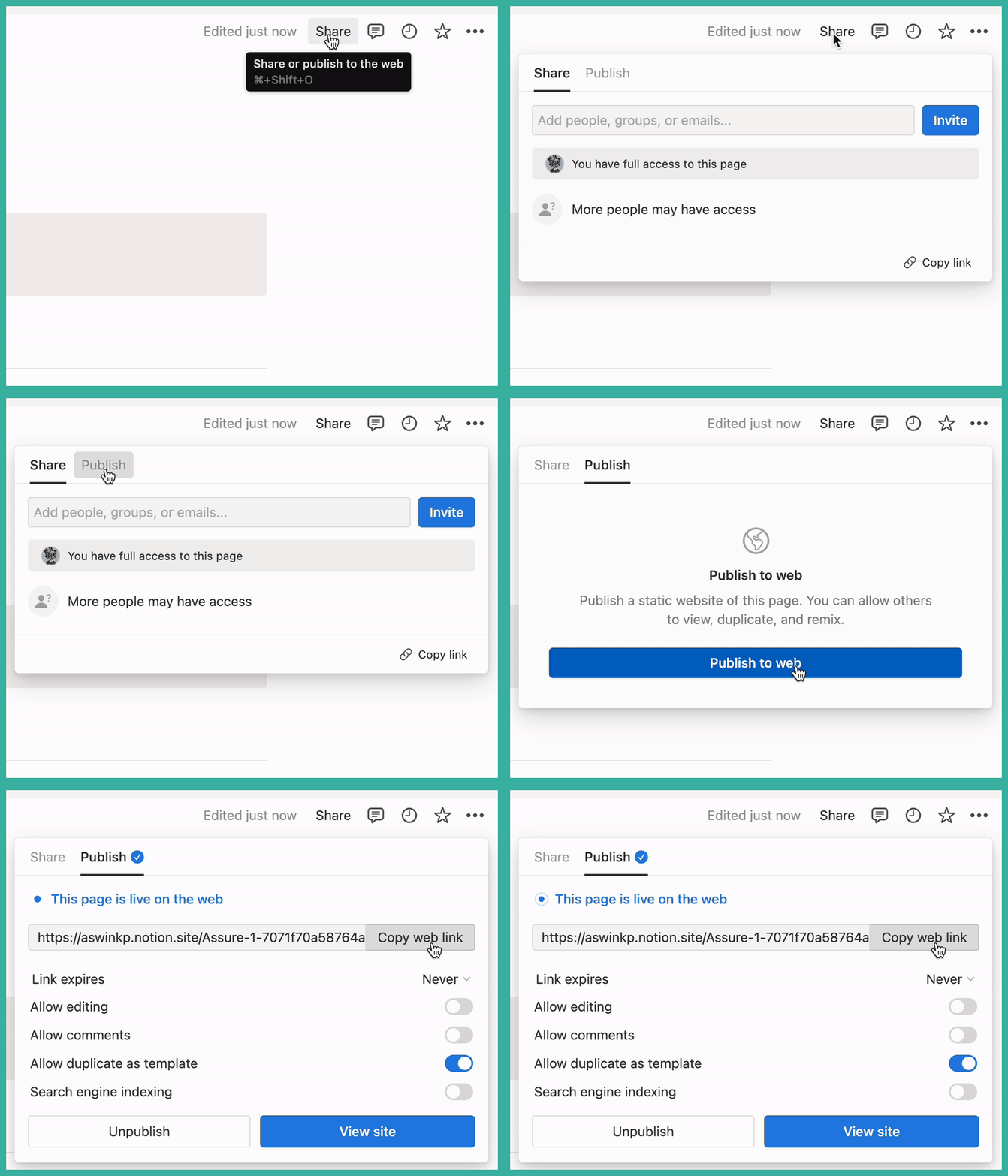
2. Publish your template.
- Get the public shareable URL from your notion template that you just duplicated.
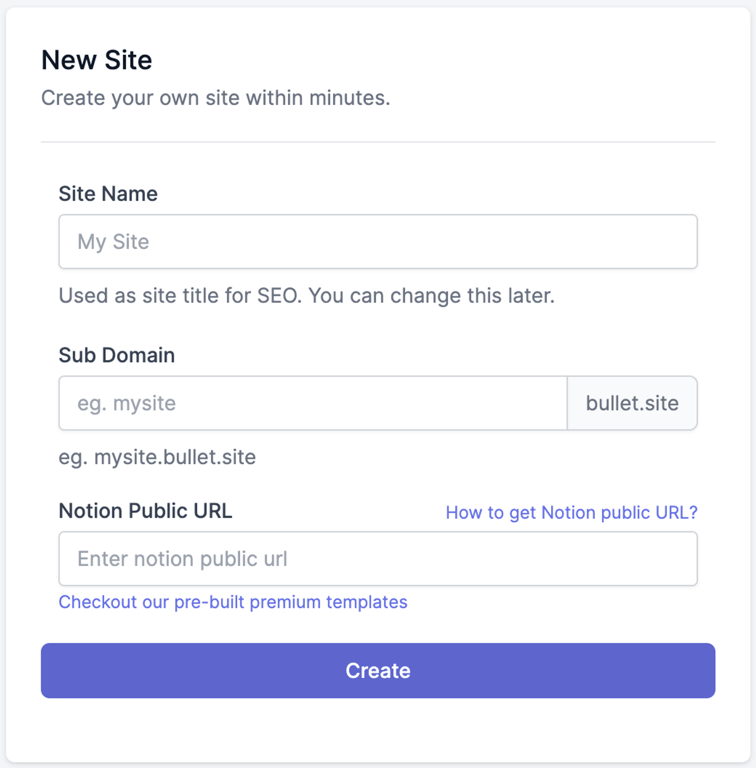
- Copy and paste the URL inside bullet.so dashboard in the Notion URL field.
3. Apply the design and styles for your template.
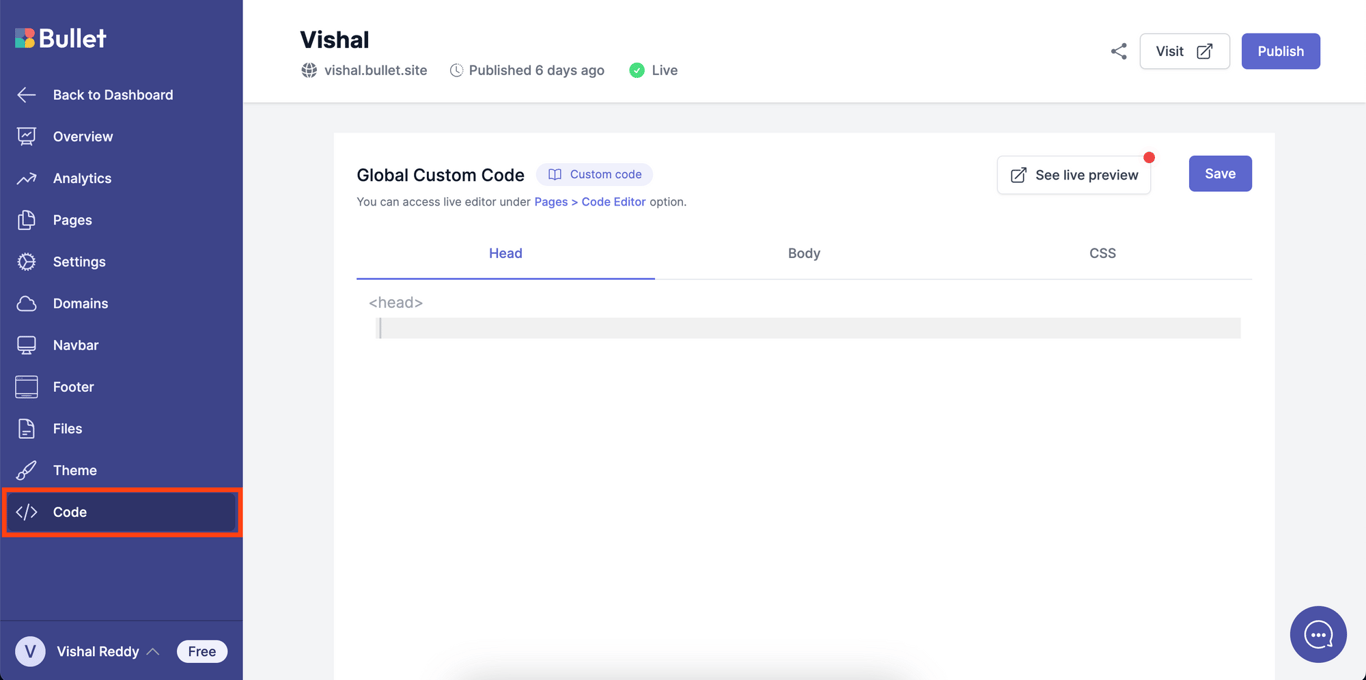
- Now, navigate to the code section of your site in bullet dashboard. Copy the below code and paste it inside the “Head” section.
4. Add your Navigation bar(Header) and Footer
- Next, navigate to the Navigation bar section of your site and customize your header with with logo, links, dropdown etc.
- Now, navigate to the footer section of your site to customize your footer with with links, columns, special icons etc.
 Made with Bullet